
Creating a home office that feels cozy yet keeps you productive can be a game-changer for your work-from-home routine. Whether you’re a full-time remote worker, a freelancer, or someone who occasionally needs a quiet spot to focus, having a dedicated space designed right can improve your workflow and well-being. Here are some helpful tips to set up a home office that’s both inviting and efficient.
Choose the Right Location
The first step is to pick the best spot in your home for your office. Ideally, look for a quiet corner or unused room with good natural light. A space away from high-traffic areas reduces distractions and helps you stay focused.
– Natural Light: If possible, choose a room with windows to boost mood and energy levels.
– Privacy: Consider how the space fits your household’s noise level and activity.
– Space Requirements: Think about how much room you need for your desk, chair, and any other essentials.
Invest in Comfortable and Functional Furniture
A cozy workspace starts with furniture that supports good posture and comfort for long hours.
– Ergonomic Chair: Choose a chair with adjustable height and good back support.
– Desk: Pick a desk that suits your work style; standing desks can offer flexibility.
– Storage Solutions: Use shelves, filing cabinets, or drawers to keep supplies organized.
Optimize Lighting for Comfort and Focus
Proper lighting reduces eye strain and boosts productivity.
– Combine Natural and Artificial Light: Use a mix of overhead lighting and task lamps.
– Adjustable Desk Lamp: A lamp with adjustable brightness and direction can help during late work hours.
– Avoid Glare: Position screens and light sources to minimize glare on your computer monitor.
Personalize Your Space to Feel Inviting
Adding personal touches makes your office feel welcoming and reflects your personality.
– Colors: Use warm or neutral colors to create a calm atmosphere.
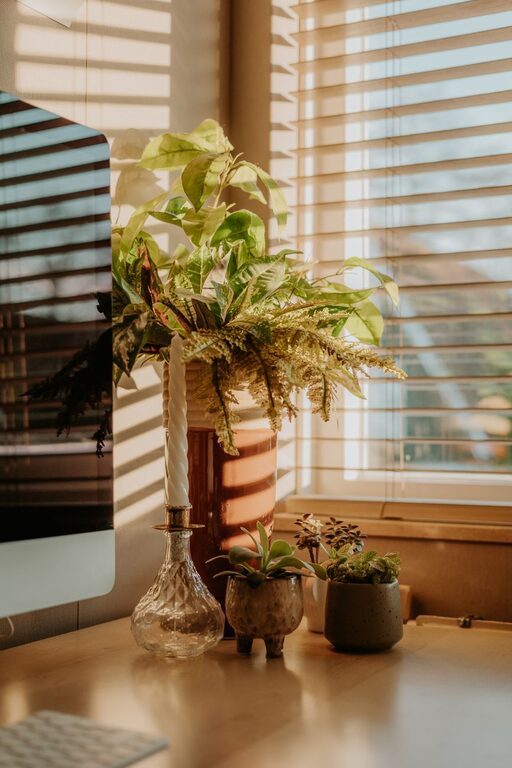
– Decor: Add plants, artwork, or inspirational quotes that motivate you.
– Soft Textures: Include cushions, rugs, or blankets for extra coziness.
Keep Technology Efficient and Organized
Modern work requires reliable technology, but cluttered cables or devices can be distracting.
– Cable Management: Use clips, sleeves, or a cable box to keep cords tidy.
– Monitor Stand: Elevate your monitor for better posture and more desk space.
– Charging Station: Set up a dedicated spot for charging devices to avoid clutter.
Organize Using Practical Systems
A well-organized office helps maintain focus and saves time searching for items.
– To-Do Lists: Use notebooks or apps to track tasks and deadlines.
– Filing System: Develop a simple way to store and label important documents.
– Desk Organization: Use trays or containers to separate papers, pens, and other supplies.
Set Boundaries for Work-Life Balance
Working from home can blur the lines between personal and work time.
– Designate Work Hours: Stick to a schedule to prevent overworking.
– Clear Work Zone: When done for the day, close your laptop and tidy your desk.
– Communicate: Let others in your household know your work hours to minimize interruptions.
Incorporate Break Areas and Movement
Taking breaks and moving helps refresh your mind and body.
– Create a Relaxation Spot: A nearby comfy chair or corner can be your go-to place for breaks.
– Stretch or Walk: Stand up and stretch regularly or take short walks to stay energized.
– Add a Standing Desk or Balance Board: Changing positions can reduce fatigue.
Maintain Cleanliness and Fresh Air
A neat, fresh space enhances comfort and helps keep your mind clear.
– Regular Cleaning: Dust and declutter your office frequently.
– Ventilation: Open windows when possible, or use an air purifier to improve air quality.
—
By following these tips, you can build a home office that feels cozy and supports your productivity. Remember, the best workspace reflects your needs and style while encouraging a healthy balance between work and relaxation. Happy decorating!
Related Posts
Tips for Creating a Cozy and Inviting Home Office Space
Creating a cozy and inviting home office space is essential…

Tips for Creating a Sustainable Home Garden Throughout the Year
Creating a sustainable home garden is a rewarding way to…
Tips for Creating a Cozy and Functional Home Office Space
Creating a cozy and functional home office space is essential…