
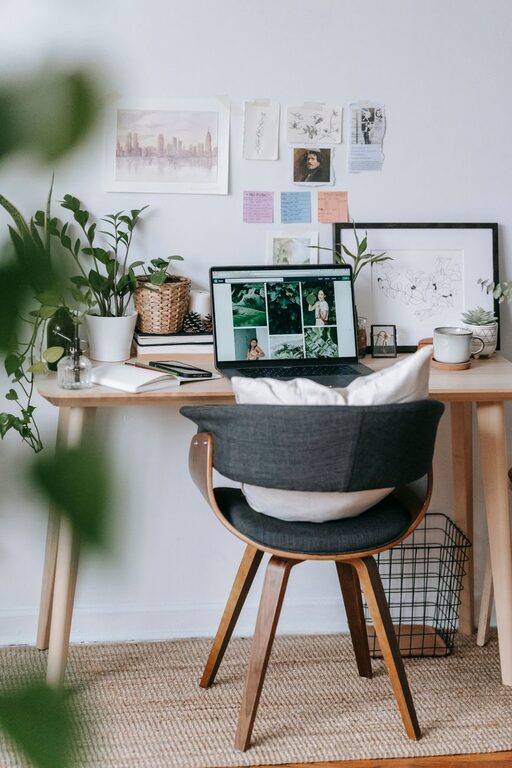
Creating a cozy and functional home office space is essential for anyone working from home or managing personal projects. A well-designed workspace can boost your productivity, keep you organized, and make your workday more enjoyable. Whether you have a dedicated room or a corner in your living area, these tips will help you craft an environment that combines comfort with efficiency.
Choose the Right Location
The foundation of a great home office starts with choosing the ideal spot. Here are some tips to consider:
– Find a Quiet Area: Select a place away from high traffic or noisy parts of your home to minimize distractions.
– Natural Light: Position your desk near a window if possible. Natural light enhances mood and reduces eye strain.
– Space Availability: Make sure there’s enough room for your desk, chair, and storage needs without crowding the area.
Invest in Comfortable Furniture
Your furniture choices greatly influence comfort and functionality.
Ergonomic Chair
An ergonomic chair supports your posture and reduces strain on your back, neck, and shoulders. Look for adjustable height, lumbar support, and comfortable cushioning.
Functional Desk
Choose a desk that fits your workflow. Some options include:
– L-shaped desks for multitasking.
– Standing desks for more movement.
– Desks with built-in storage to keep essentials handy.
Organize with Smart Storage Solutions
Clutter can disrupt focus and create stress, so organization is key.
– Shelves and Bookcases: Use vertical space to store books, files, and decor.
– Drawer Organizers: Keep small items like pens, paper clips, and chargers neatly arranged.
– Labeling Systems: Labels help you quickly find what you need without digging through piles.
Personalize Your Workspace
Adding personal touches invites comfort and creativity.
– Decorate with Plants: Indoor plants improve air quality and add a splash of color.
– Use Art or Photos: Display items that inspire you or bring joy.
– Choose a Relaxing Color Palette: Soothing colors like soft blues, greens, or neutrals promote calmness.
Optimize Lighting
Good lighting reduces eye strain and enhances productivity.
– Combine Natural and Artificial Light: Balance daylight with task lighting.
– Desk Lamps: Adjustable lamps allow you to focus light where you need it.
– Avoid Glare: Position screens and lights carefully to prevent reflections.
Minimize Distractions
Creating a distraction-free zone will help you stay focused.
– Noise Control: Use noise-cancelling headphones or white noise machines if you live in a noisy area.
– Limit Clutter: Keep only work-related items on your desk.
– Manage Technology: Turn off non-essential notifications while working.
Incorporate Technology Wisely
Equip your space with tools that improve workflow without overwhelming it.
– High-Speed Internet: Reliable internet connection is vital for remote work.
– Cable Management: Use clips or sleeves to organize cords and prevent tangling.
– Essential Accessories: Invest in ergonomic keyboards, mice, and monitor stands for comfort.
Create a Routine-Friendly Environment
Your workspace should encourage a productive routine.
– Designate Work Hours: Use visual cues like closing the laptop or turning off the desk light to signal the end of the workday.
– Break Space: If possible, create a small area for breaks, such as a comfy chair or a spot for stretching.
Keep It Flexible
A multifunctional space allows for comfort and adaptability.
– Modular Furniture: Pieces that can be rearranged or repurposed suit changing needs.
– Foldable or Mobile Workstations: These work well for small spaces or occasional work setups.
—
By thoughtfully combining these elements, you can create a home office that feels inviting and supports your work habits. Remember, the key is to find a balance between comfort and functionality that suits your personal and professional needs. Happy designing!
Related Posts
Tips for Creating a Cozy and Productive Home Office Space
Creating a home office that feels cozy yet keeps you…
Tips for Creating a Cozy and Inviting Home Office Space
Creating a cozy and inviting home office space is essential…
Tips for Creating a Productive Home Office Environment
Creating a productive home office environment is essential for anyone…